Custom software projects rarely fail because of code. They fail because the problem was not understood, the scope kept moving, or nobody planned for what happens after launch. A clear custom software development process prevents all three. This guide walks through each stage a well-run project follows, what you should expect to see at each one, and what the team needs from you.
1. Discovery: understand the problem before writing code
Discovery turns an idea into a shared, written understanding of what will be built and why. The team talks to the people who will use the software, maps the current process, identifies the systems involved and agrees what success looks like.
What you should receive: a requirements document or product brief, user roles, a prioritised feature list and a phased plan. What the team needs from you: time with the people who do the work today, examples of real documents and data, and a decision-maker who can settle questions quickly.
2. Planning and architecture
With the requirements agreed, the team chooses the technology stack, designs the data model and decides how the system will connect to your existing tools. This is where decisions about hosting, security, scalability and AI features are made. They are much cheaper to get right now than to change later.
What you should receive: a technical approach, an itemised estimate and a milestone plan. If anything is uncertain, a good team will propose a small proof of concept before committing to the full build.

3. UI/UX design
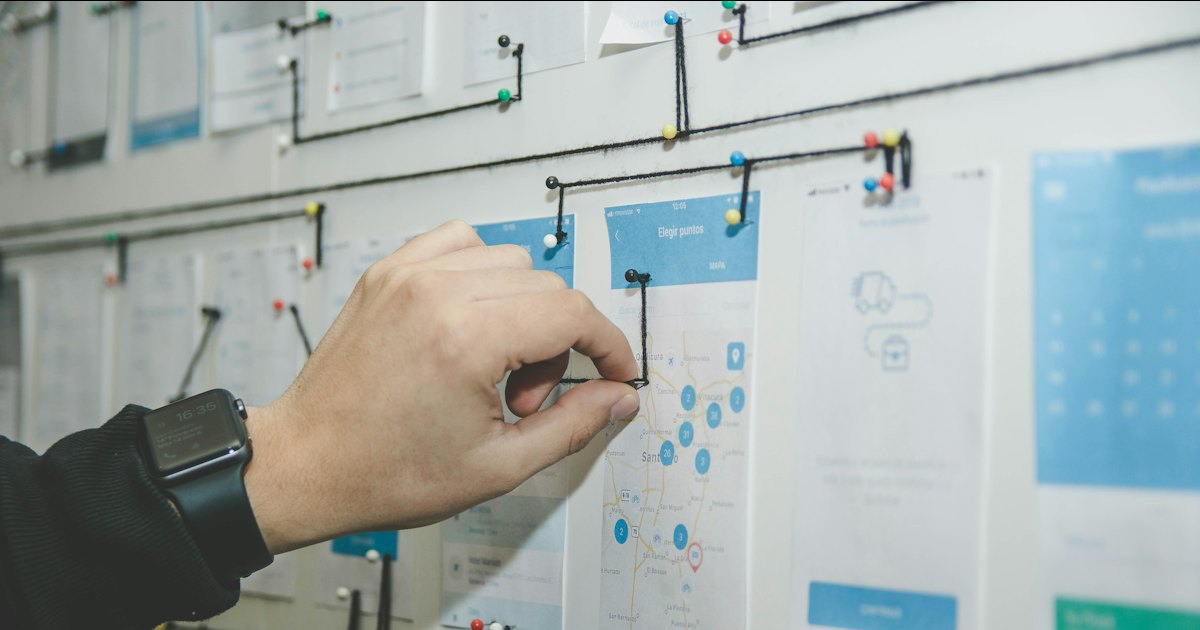
Designers turn requirements into user flows, wireframes and then a polished interface. For business software, good design means fewer clicks for common tasks, clear error messages and screens that make sense to staff on their first day. Clickable prototypes let you test the experience with real users before development begins.
What you should receive: wireframes, a clickable prototype and final designs ready for development. Our UI/UX design service, and our guide to UI/UX best practices, go deeper on this stage.
4. Development in short iterations
Development works best in short cycles, typically one to two weeks. Each cycle delivers a working piece of the system that you can see and try, instead of waiting months for a big reveal. Priorities can be adjusted between cycles as you learn, without derailing the whole project.
Modern teams use AI coding assistants to speed up routine work, with every change reviewed and tested by an engineer. Read how AI is changing custom software development for what that means for your project.
What you should receive: regular demos, access to a staging environment and visible progress against the milestone plan.
5. Testing and quality assurance
Testing runs throughout development, not only at the end. Automated tests check that features keep working as new code is added. Manual testing covers real-world use, different devices and browsers, and edge cases. Security testing checks access controls and data protection. Before launch, your own team should run through their daily tasks in user acceptance testing.
6. Deployment and launch
Launch includes setting up production hosting, migrating data from old systems, configuring backups and monitoring, and training your staff. For systems that replace something already in use, a phased rollout, one team or branch at a time, reduces risk.
What you should receive: a live system, admin access, documentation, and ownership of the source code, repositories and accounts.
7. Support, maintenance and improvement
Software is never finished. After launch, it needs security updates, bug fixes, performance monitoring and improvements based on how people actually use it. Agree the support arrangement before the project starts: response times, what is included, and how new features are scoped and priced. Our technical support and cloud support services cover this stage.
The process at a glance
| Stage | Main output | Your role |
|---|---|---|
| Discovery | Requirements and phased plan | Share knowledge, give access to users |
| Planning | Architecture and itemised estimate | Approve scope and priorities |
| Design | Prototype and final UI | Review and give feedback |
| Development | Working software every cycle | Attend demos, test early |
| Testing | Verified, stable system | User acceptance testing |
| Launch | Live system, trained team | Plan rollout, prepare data |
| Support | Updates and improvements | Report issues, prioritise next features |
Frequently asked questions
How long does custom software development take?
It depends on scope. A focused internal tool may take weeks; a SaaS product or ERP takes months. Phased delivery puts the most valuable parts into use first. Our guide to SaaS development cost explains how scope drives both time and budget.
Fixed price or time and materials?
Fixed price works when the scope is clear and stable. Time and materials suits projects where requirements will evolve. Many projects combine both: a fixed-price discovery phase followed by milestone-based development.
What if my requirements change mid-project?
They usually do, and that is fine. A good process has an agreed change procedure: assess the impact, re-prioritise, and adjust the plan in writing rather than through surprise invoices.
Should I build custom software at all?
Not always. If an existing product covers your needs, use it. Our comparison of custom software vs off-the-shelf helps you decide.
Start with discovery
CohortIX follows this process for every custom software, SaaS and app development project, from our office in Surat for clients across India and worldwide. Book a free call to talk about your project, or see the results in our work.
Cover photo via Unsplash.
Explore our website development, UI/UX design and AI automation services.